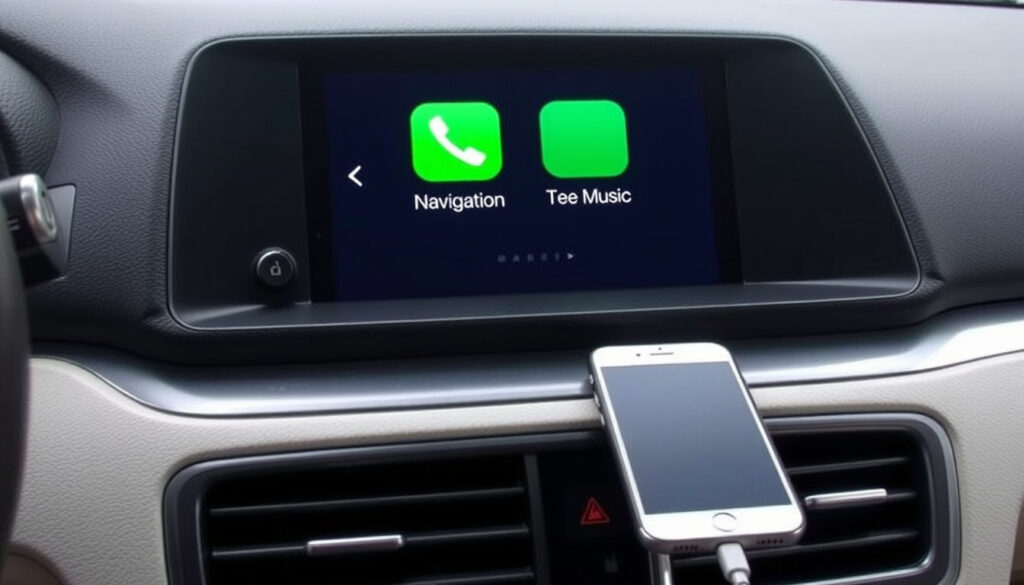
How to Get, Install, and Use Apple CarPlay (Complete Guide)
Apple CarPlay brings your favourite apps, maps, and messages to your car’s display — and in most cases it’s free to use. This guide walks through exactly how to get CarPlay, install it in any car, and avoid the common hiccups that trip up first‑time users.
Supported iPhones: iPhone 5 and later ·
Wireless introduced: iOS 9 (2015) ·
Compatible car models: over 600 ·
Monthly fee: none ·
Connection methods: USB or wireless
Quick snapshot
- CarPlay works with iPhone 5 and later (Apple Support (iPhone maker))
- Wireless CarPlay requires a compatible car and iOS 9+ (Rokform (accessory maker))
- No subscription fee for CarPlay itself (Garage Audio (car audio retailer))
- Aftermarket head units can add CarPlay to older cars (Walser Toyota (US dealer))
- Exact number of compatible car models varies by year and region (AutoNation Honda Roseville (US dealer))
- Future app support beyond current list is uncertain (AutoNation Honda Roseville (US dealer))
- Reliability of third‑party wireless adapters (AutoNation Chrysler Jeep Broadway (US dealer))
- CarPlay continues to be supported across iOS updates; no major disruption expected
- Wireless CarPlay adoption growing in 2023–2025 models
- Check your car’s compatibility before buying an aftermarket unit
- Keep iPhone and head‑unit software updated for best performance
Five key details that define CarPlay’s capabilities at a glance:
| Detail | Value |
|---|---|
| First release | 2014 |
| Compatible iPhones | iPhone 5 and later |
| Wireless introduced | iOS 9 (2015) |
| Compatible car models | 600+ |
| Monthly fee | None |
| Setup method | Wired (USB) or wireless (Bluetooth + Wi‑Fi) |
| Siri required | Yes |
How do I get my Apple CarPlay?
How do I activate Apple CarPlay?
- Start the car and ensure Siri is turned on (Apple Support (iPhone maker)).
- For wired CarPlay, plug your iPhone into the car’s USB port using an Apple Lightning‑to‑USB cable.
- For cars that support both wired and wireless, plugging in can trigger an alert offering wireless connection on future drives.
- CarPlay configuration can be accessed from Settings > General > CarPlay on your iPhone.
Activation is a one‑time pairing. After the initial set‑up, CarPlay usually auto‑connects when the car is started — no digging through menus each time.
How to connect Apple CarPlay wirelessly?
- Wireless CarPlay‑only vehicles: press and hold the steering‑wheel voice command button, then ensure the stereo is in wireless or Bluetooth mode.
- Both Bluetooth and Wi‑Fi must be turned on on the iPhone.
- In Wi‑Fi settings, tap the CarPlay network and turn on Auto‑Join.
- Some vehicles (e.g., Toyota, Chrysler) require confirming a pairing code on the infotainment screen first.
What this means: Wireless CarPlay is convenient but relies on both Bluetooth (handshake) and Wi‑Fi (data stream). If auto‑connect fails, a quick network‑settings reset often fixes it (Rokform (accessory maker)).
How to use Apple CarPlay in your car?
How does Apple CarPlay work?
- CarPlay mirrors a subset of iPhone apps onto the dashboard display.
- You control it via touch, the car’s knobs, or Siri voice commands.
- Siri can be activated by pressing and holding the steering‑wheel voice command button, touching the CarPlay home button, or saying “Hey Siri”.
What apps work with CarPlay?
- Apple apps: Maps, Music, Messages, Phone, Podcasts, Calendar.
- Third‑party: Spotify, WhatsApp, Google Maps, Waze, Audible — many more.
- Only apps optimised for driving (no video or heavy games).
While CarPlay supports many audio and navigation apps, not every iPhone app appears. Developers must opt in to CarPlay compatibility — and some popular apps (e.g., YouTube) remain absent for safety reasons.
The implication: app selection is curated, so plan around what’s available before relying on CarPlay for a specific service.
How do I install Apple CarPlay into my car?
Can I install Apple CarPlay myself?
- Yes, if your car has a standard double‑DIN slot or you purchase a compatible aftermarket head unit (Garage Audio (car audio retailer)).
- DIY installation involves removing the existing stereo, connecting wiring harnesses, and fitting the new unit.
- Some aftermarket units support both wired and wireless CarPlay out of the box.
Do Halfords install Apple CarPlay?
- Halfords offers a professional installation service for aftermarket CarPlay stereos across the UK.
- Prices vary by head unit and vehicle complexity; typically £80–£150 for labour.
- Customers should check compatibility on the Halfords website before booking.
The trade‑off: DIY saves money but risks damaging trim or wiring. Paid installation adds cost but guarantees a clean finish — especially in newer cars with complex dashboards.
Can I install Apple CarPlay on any car?
Which cars are compatible with CarPlay?
- Apple lists over 600 compatible car models from brands like BMW, Ford, Honda, Toyota, Volkswagen, and more.
- Check your car’s infotainment system: if it already has CarPlay, it will be listed in the audio settings.
- Some manufacturers (e.g., Toyota) only introduced CarPlay in 2018‑onwards models (Walser Toyota (US dealer)).
What if my car does not have CarPlay?
- Aftermarket solutions: replace the head unit with a CarPlay‑compatible stereo.
- Wireless adapters (e.g., CPLAY2air) plug into the USB port of existing compatible systems to add wireless CarPlay.
- Portable CarPlay screens are available that sit on the dashboard and connect via Bluetooth/Wi‑Fi.
The pattern: Factory CarPlay is standard on most new cars, but older vehicles don’t need to miss out. An aftermarket head unit costs $200–$600 and can be installed in a few hours.
Is there a monthly fee for Apple CarPlay?
Does CarPlay require a data plan?
- CarPlay functionality is free regardless of vehicle or iPhone model.
- Data usage for streaming music, navigation, or messages depends on your iPhone’s cellular plan — no extra CarPlay fee.
- Wireless CarPlay uses Wi‑Fi and Bluetooth, which are free built‑in features.
Are there any subscription costs?
- No subscription for the CarPlay system itself.
- Some connected car services (e.g., GM’s OnStar, FordPass) may charge separately, but CarPlay remains independent.
- Aftermarket wireless adapters are a one‑time purchase (≈$60–$150) — no ongoing fee.
The takeaway: CarPlay’s zero-cost model means the only recurring expense is your existing cellular data if you stream content.
Confirmed facts
- CarPlay works with iPhone 5 and later
- Wireless CarPlay requires a compatible car and iOS 9+
- No subscription fee for CarPlay
- Aftermarket head units can add CarPlay to older cars
- CarPlay can be controlled via Siri, touch, or car controls
What’s unclear
- Exact number of compatible car models varies by year and region
- Future app support beyond current list is uncertain
- Reliability of third‑party wireless adapters
- Head‑unit firmware updates vary by manufacturer
- Compatibility with specific iPhone models may differ across car brands
“Start the car and ensure Siri is on before connecting your iPhone to begin CarPlay setup.” — Apple Support
“Wireless CarPlay setups generally require selecting the phone in the car’s menu, confirming matching codes, and then enabling Apple CarPlay on the infotainment screen.” — Walser Toyota
“iPhone and head‑unit software updates can improve Wireless CarPlay performance and compatibility.” — Garage Audio
“If CarPlay supports wireless and USB, plugging in the phone can prompt an alert to connect wirelessly on next drives.” — AutoNation Honda Roseville
Apple CarPlay transforms any drive by putting your iPhone’s essential functions on the dashboard — for free, across over 600 car models and countless aftermarket units. For the driver with a pre‑2016 car, the choice is clear: invest in an aftermarket head unit or a wireless adapter, or stick with a phone mount. For anyone buying a new car, CarPlay support should be a checklist item — because once you’ve used it, going back feels like driving in the dark.
For a detailed breakdown of installation and compatibility costs, check out this comprehensive Apple CarPlay guide for UK and Irish drivers.
Frequently asked questions
How do I update CarPlay?
CarPlay updates come through iOS updates on your iPhone. Keep your iPhone up to date, and your car’s head‑unit firmware updated if available.
Can I use Google Maps on CarPlay?
Yes, Google Maps is supported on CarPlay. Install the app on your iPhone and it will appear on the CarPlay screen.
Does CarPlay work without a cellular connection?
CarPlay works offline for local content (music, podcasts) and non‑navigation apps. Live traffic and streaming require cellular data.
How do I disconnect from CarPlay?
Unplug the USB cable (wired) or turn off Wi‑Fi and Bluetooth on your iPhone (wireless). Some cars have a disconnect option in the infotainment menu.
Does CarPlay drain iPhone battery?
CarPlay uses the iPhone’s battery, but wired CarPlay charges the phone simultaneously. Wireless CarPlay may drain battery faster; using a wireless charger is recommended.
Can I add CarPlay to my car myself?
Yes, if you buy a compatible aftermarket head unit. Professional installation is recommended for vehicles with complex dashboards or integrated electronics.
Is there a way to try CarPlay before buying?
Many car dealerships allow test drives with CarPlay. You can also try it on a friend’s car or use a portable CarPlay screen with a return policy.
Related reading: Clear Cache on iPhone · iPhone 17 Pro Max Release Date
More related posts
 Alex Hormozi: Net Worth, Businesses & Biography
 Big W Luggage: Complete Guide to Suitcases and Sets
 Ruth Bader Ginsburg: How She Built Gender Equality Into Law
 Rose Byrne: Children, Relationship, Career, and More
 Car Registration QLD: Costs, Checks, Renewals & 3-Month Rego
 Huggy Wuggy Age Guide: What Parents Should Know
 Hermione Granger: Character Profile, Facts, and Analysis
 Emily Ratajkowski: Biography, Career, and Controversies
